Finding a safe, quiet and reliable place to sleep is one of the biggest challenges in campervan travel, especially in winter, in remote areas, or when plans suddenly change. That’s why iOverlander has become one of the most trusted tools among vanlifers and long-term road-trippers.
But 2025 has brought big changes to the app, and travellers are now asking:
Is iOverlander still worth using? How does it work? Should I switch to an alternative?
In this updated guide, based on real traveller reviews, community insights and our own on-the-road experience, we break down everything you need to know about iOverlander in 2026, including how to use it step-by-step, safety tips, and the big controversy around iOverlander 2.
Let’s dive in.
What Is iOverlander?
iOverlander is a community-driven platform where travellers share:
- free overnight parking spots
- wild camping locations
- paid campsites
- water refill points
- dump stations
- laundries, showers and Wi-Fi points
- mechanics and tire repair
- border crossings and travel warnings
Every location includes:
- traveller reviews
- photos
- coordinates
- accessibility notes
- safety information
- check-in history
With thousands of daily updates from travellers around the world, it’s one of the most complete and reliable databases for campervan and overland travel.
Why iOverlander Is a Must-Have in 2026
– Reliable in remote regions
It covers places that Google Maps doesn’t, especially in the mountains, desert, coastlines and rural areas.
– Free (with limitations)
The basic version remains usable without paying.
– Updated daily by travellers
Users constantly report:
- road conditions
- closures
- police checks
- new restrictions
- unsafe experiences
– Works offline
Essential for national parks, mountain passes or regions with low signal.
– Worldwide coverage
Useful not only in Europe, but also in:
- USA & Canada
- Morocco
- South America
- Southeast Asia
- Australia & New Zealand
This makes it perfect for long, multi-country trips.
How to Use iOverlander (Step-by-Step Guide)
Step 1: Open the Map
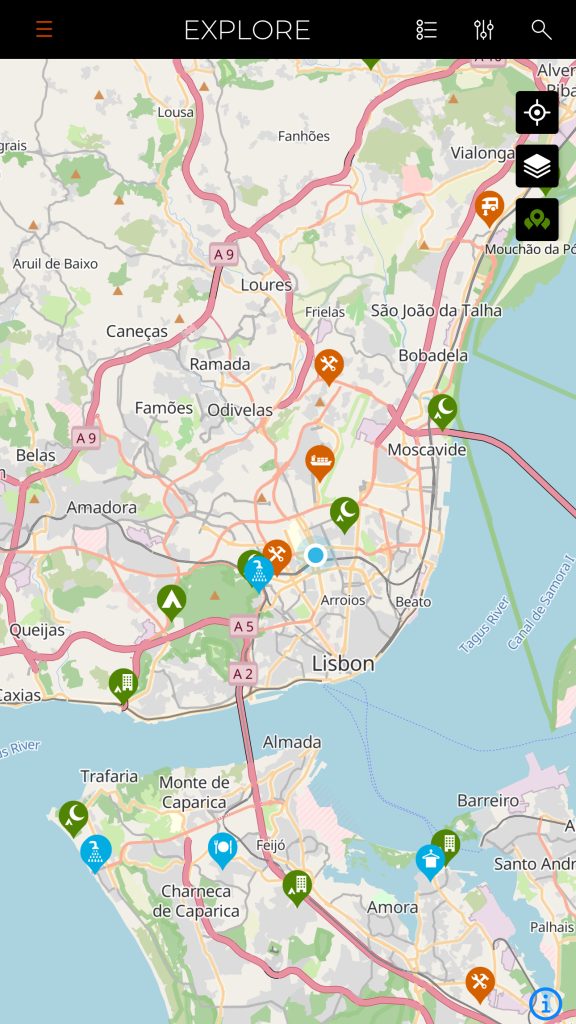
Pins on the map represent different types of places:
- Blue: Overnight parking
- Green: Campgrounds
- Orange: Wild camping
- Yellow: Water points
- Purple: Dump stations
- Grey: Services
Zoom into the region you plan to visit.
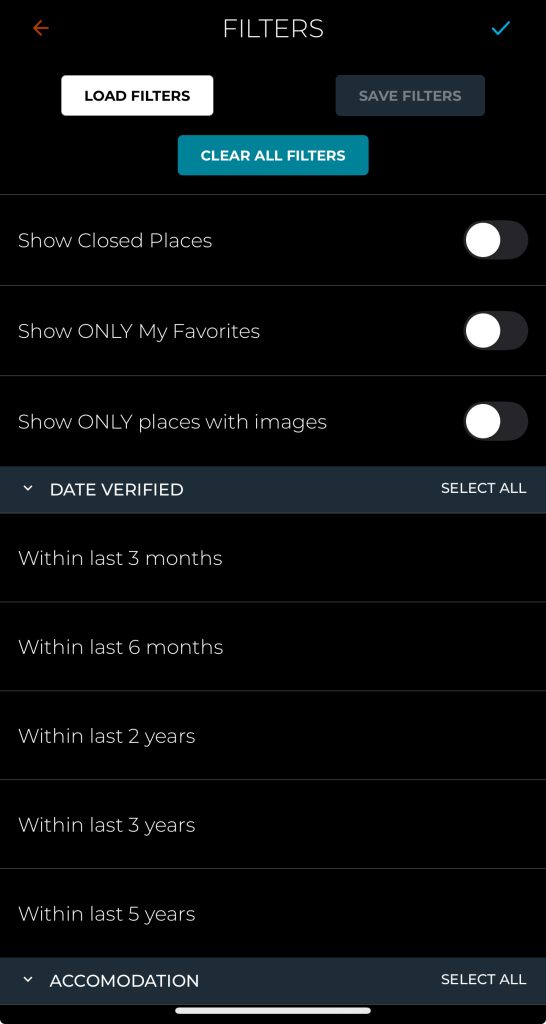
Step 2: Use Filters to Refine Your Search
Filters help you find exactly what you need:
- Overnight parking only
- Wild camping
- Campgrounds
- Accessible for large vehicles
- Recently updated spots
- Avoid unsafe locations
Winter tip:
Always check “vehicle suitability” and recent reviews about road conditions and snow.
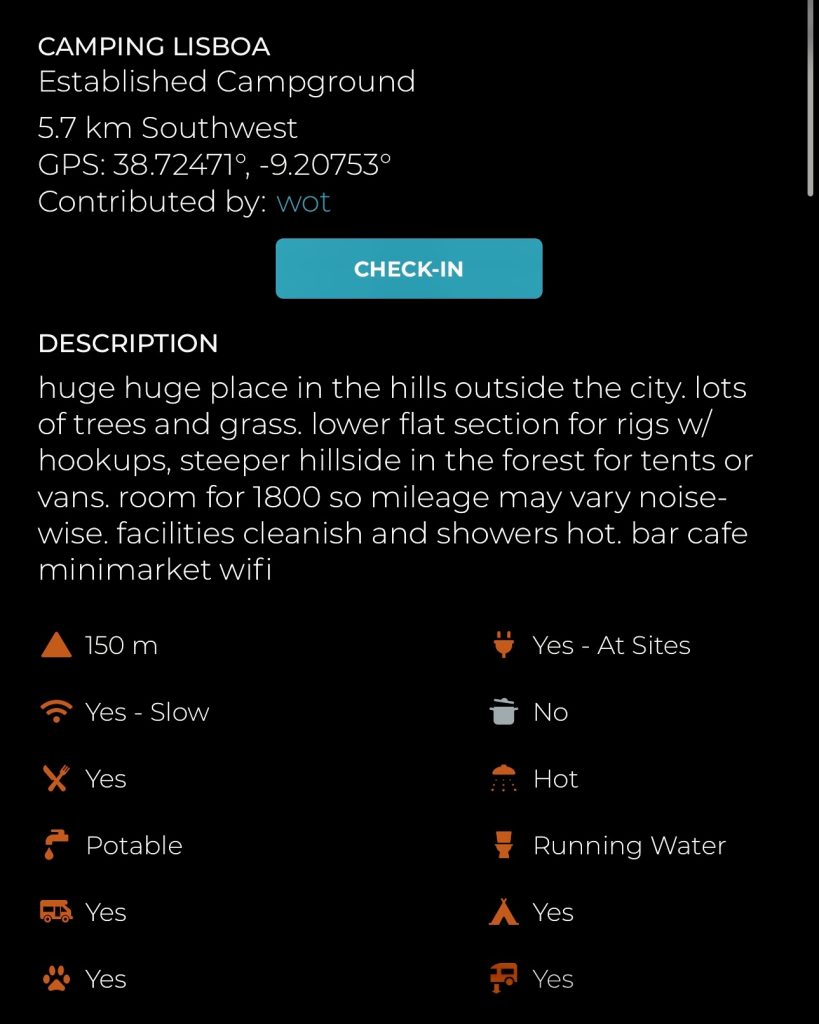
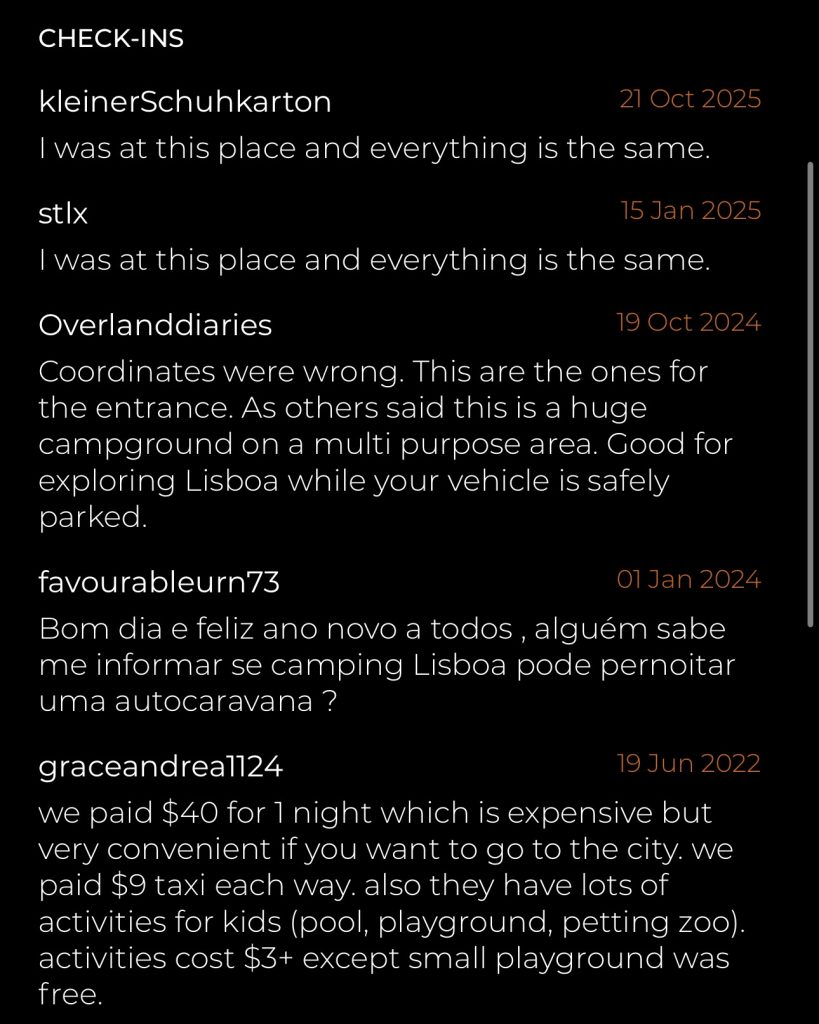
Step 3: Read the Reviews (Most Important Part)
Reviews tell the real story.
Look for clues like:
- “Stayed here last night — safe”
- mentions of noise, police presence or restrictions
- whether the ground is flat
- if the spot is windy or exposed
- phone signal quality
- suitability for longer vans
- if other vehicles were present
Prioritise recent reviews (last 3 to 6 months).
Step 4: Check Photos
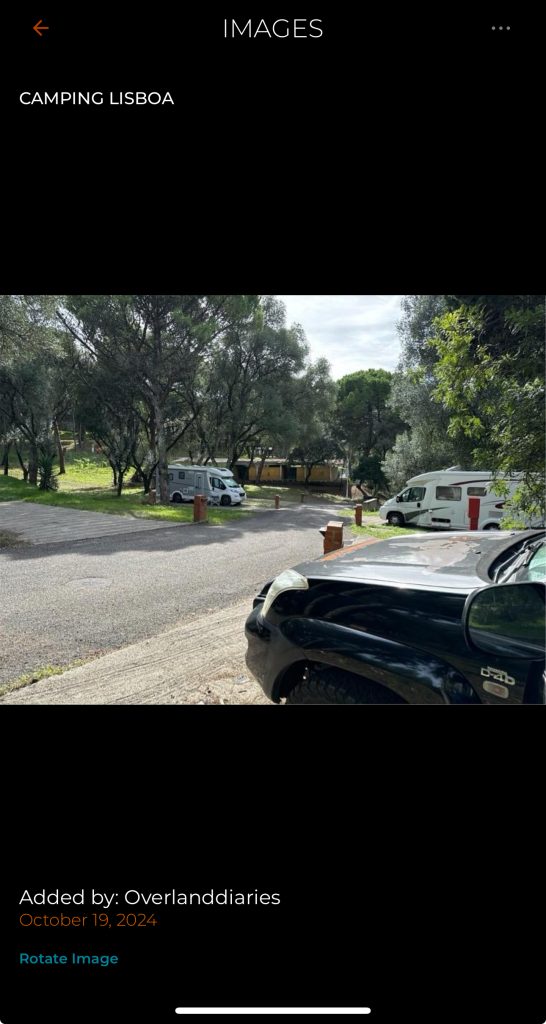
Photos help you understand:
- layout and terrain
- whether the spot looks comfortable
- how many people usually stay there
- if it’s hidden or exposed
Step 5: Save Your Favourite Spots
Tap ⭐ “Save” to build a list of options.
Always save 3 to 4 backup locations, plans change quickly on the road.
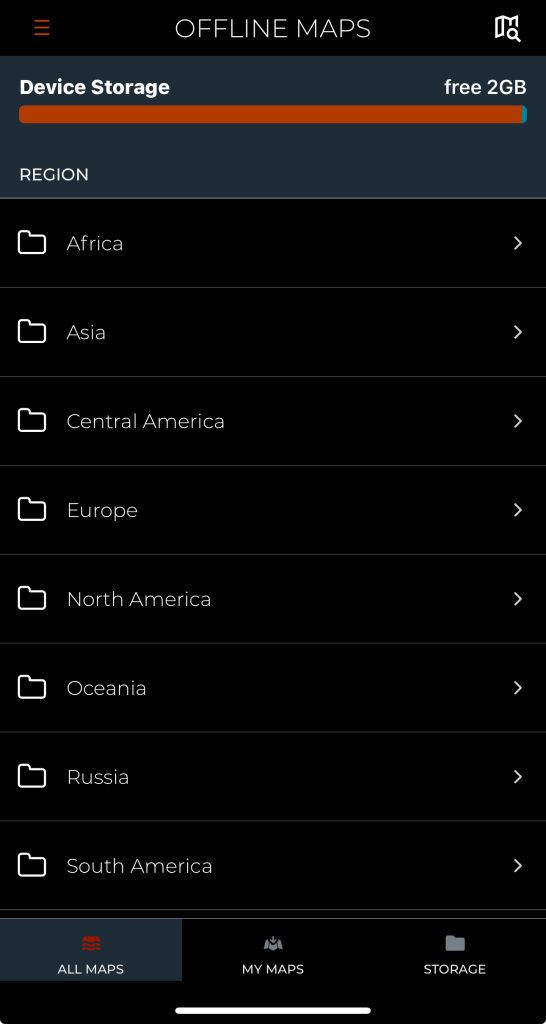
Step 6: Use Offline Mode
Before entering low-signal regions (mountains, national parks, remote villages), download offline maps and saved spots.
Offline mode has saved many travellers from stressful situations.
Essential Safety Tips When Using iOverlander
iOverlander is extremely helpful, but safety always comes first.
- Choose spots with multiple recent reviews
- Avoid locations flagged as unsafe
- Arrive before sunset
- Park facing the exit
- Avoid isolated areas if travelling alone
- Check legality of overnight parking in that region
iOverlander vs Park4Night vs Google Maps (2026)
| Feature | iOverlander | Park4Night | Google Maps |
|---|---|---|---|
| Wild camping | ⭐⭐⭐⭐⭐ | ⭐⭐⭐⭐⭐ | ⭐⭐⭐ |
| Paid campsites | ⭐⭐⭐ | ⭐⭐⭐⭐⭐ | ⭐⭐⭐⭐⭐ |
| Recent reviews | ⭐⭐⭐⭐⭐ | ⭐⭐⭐ | ⭐⭐⭐ |
| Offline mode | Yes | Yes | Partial |
| Global coverage | ⭐⭐⭐⭐⭐ | ⭐⭐⭐ | ⭐⭐ |
| Best for | Safety & remote travel | Europe trips | General navigation |
The best combo:
iOverlander + Google Maps Satellite View.
Add Park4Night if you’re travelling in Europe.
iOverlander 1 vs iOverlander 2: What’s Happening in 2025? (Real User Feedback)
2025 brought one of the biggest changes ever to iOverlander: the release of iOverlander 2, a redesigned app with more features but also subscriptions and some limitations.
This caused major debate within the vanlife community. Here’s a clear, honest breakdown:
iOverlander 1 (Legacy Version) Is Being Shut Down
Travellers on Reddit reported:
- The old app crashes on Apple devices
- The map fails to load
- Constant pop-ups push users to update
- The legacy version officially started shutting down around April 30
- Many users can no longer use it offline
For many, iOverlander 1 worked better because:
- it was lightweight
- it loaded instantly
- offline mode was simpler
- no subscription was required
iOverlander 2 Introduced a Subscription
iOverlander 2 includes:
- improved search
- better map layers
- region-based downloads
- ability to favourite places
But many features are behind a paywall.
Not All Feedback Is Negative
Some travellers say:
- the app has become more stable over time
- the paid version works well
- favourite lists and filtering are big improvements
- unlimited download regions are helpful for long trips
Do Both Versions Still Work?
Yes but with limitations.
- iOverlander 2 works fully only if you pay
- Free version offers limited regions
- Offline mode requires downloading each area separately
- Web version still shows all locations
- iOverlander 1 works only on some devices
Popular Alternatives
Because of the subscription controversy, travellers are testing new apps:
- Campsite (new, fast-growing)
- VanCamp (beta, aims to stay free or cheap)
- SEKR
- freecampsites.net
- OnX Offroad (USA)
There is no perfect alternative yet, but the landscape is changing quickly.
Our Experience Using iOverlander on the Road
During our winter roadtrip, iOverlander helped us:
- avoid unsafe areas
- find quiet mountain spots
- check road accessibility during snow
- locate water points when needed
- plan backup stays when conditions changed
The combination of recent reviews + offline mode + user photos made planning much easier.
The Perfect Routine for Using iOverlander on a Campervan Trip
If you want a stress-free experience:
- Choose your target region early in the day
- Shortlist 3 to 4 potential overnight spots
- Read the latest reviews
- Check the location on Google Maps Satellite
- Save everything offline
- Arrive before dark
- Keep backup options ready
This workflow reduces 90% of roadtrip stress!!
Final Thoughts
Despite recent changes and the subscription debate, iOverlander remains one of the best tools for campervan travel in 2026.
Whether you’re a winter adventurer, a full-time vanlifer or planning a big summer roadtrip, the app gives you freedom, safety and confidence, the pillars of any great journey.
Use it together with Google Maps and, if you’re in Europe, Park4Night for the ideal setup.
Wherever you go next, may your nights be quiet, your views be beautiful, and your campervan feel like home. Discover more with Indie Campers.